
Utility: Launch Executable
Overview
The Utility: Launch Executable analysis can be used to run any executable Python script as an nSpec analysis.
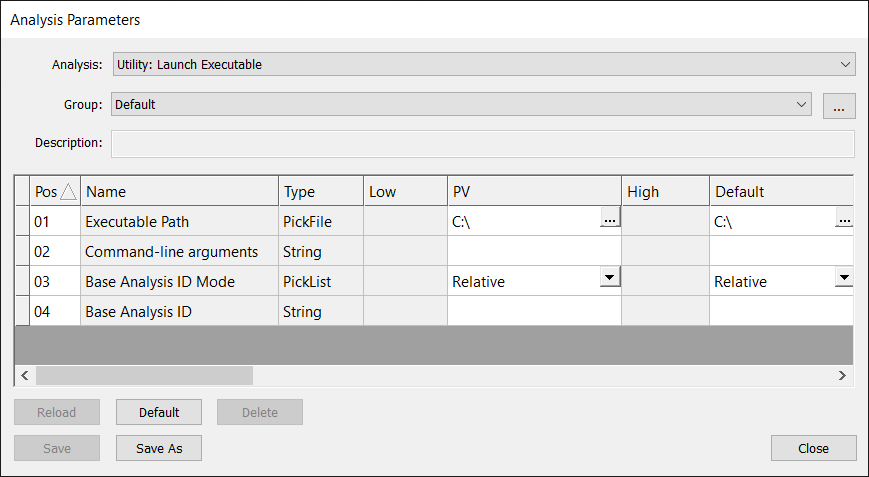
Analysis Parameters
The script path must be provided in the Executable Path parameter, and arguments to the script can be provided via Command-line arguments. The following path variables can be used in as arguments to the script.
Path Variables | Description |
|---|---|
$SCAN_DB | Scan database file path |
$LAST_ANALYSIS_ID | Last analysis ID |
$LAST_SCAN_ID | Last scan ID |
There are two ways of supplying a target analysis for the script.
Users can use nSpec’s standardized post-analysis referencing method to reference absolute or relative target analyses. For more, see Post-Analysis Referencing .
Alternatively, users can supply a target analysis via the Command-line arguments parameter using the path variable $LAST_ANALYSIS_ID.
Note, that if $LAST_ANALYSIS_ID is used in the arguments parameter, the Base Analysis ID parameter is ignored. If $LAST_ANALYSIS_ID is not supplied in the arguments parameter, the Base Analysis ID parameter will be appended to the Command-line arguments parameter.

Note: The Base Analysis ID will be a number appended at the very end. If your script expects this number to follow an argument identified, make sure that the command line arguments places that identifier last in the list of arguments.