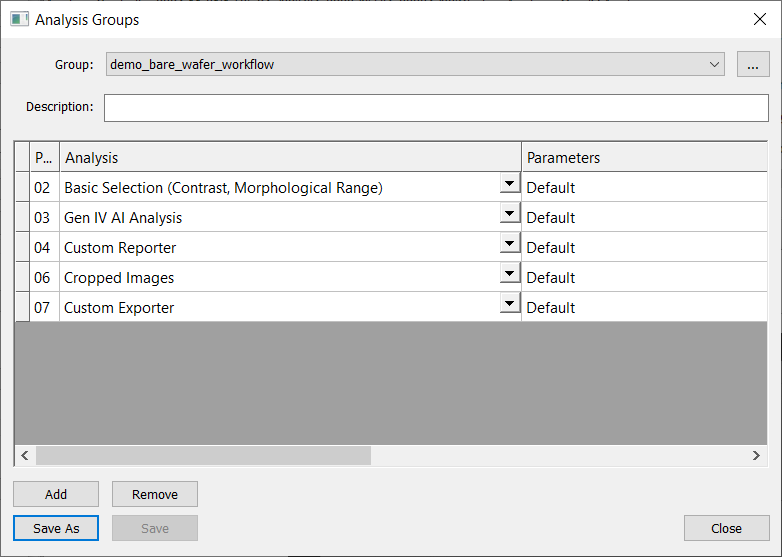
Setting up Analysis Groups
Users can setup group analyses in the Scan Settings dialog, found at nScan > Scan > Sample…
In the Post Scan Analysis section, choose Group as the type.
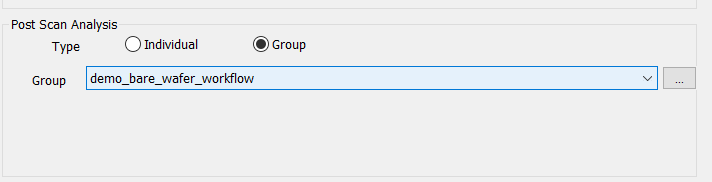
Click the …. next to the Group dropdown menu to edit and create new analysis groups.