
GDS Layout Creation
Overview
nSpec supports nSpec device layout creation using Graphic Data System (GDS) files.
Steps to Import
To convert a GDSII file into an nSpec Layout file:
Create a Device Inspection Alignment where the origin is the location of the GDSII file’s origin
Go to Stage View → Create Device Layout
Click Alignment… and load your created alignment
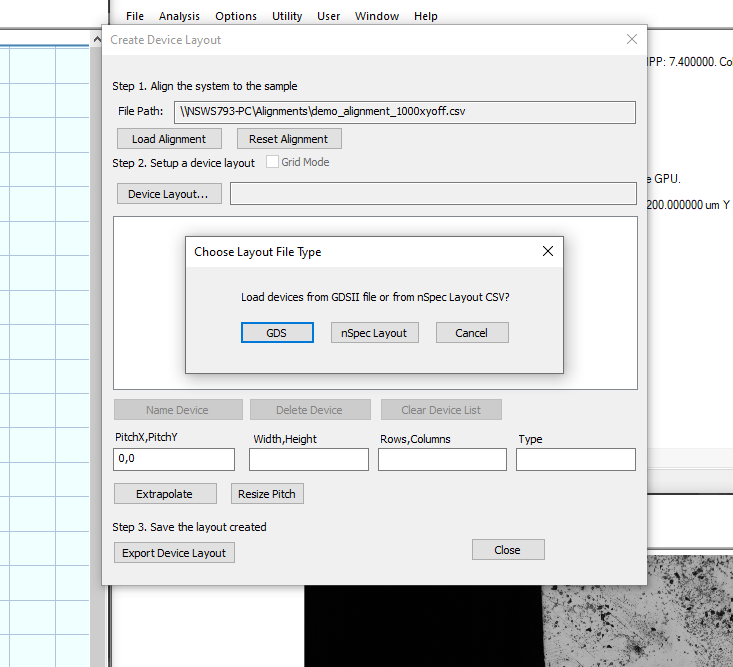
Click Device Layout… (which will open a new Choose Layout File Type dialog)
Click GDS
Chose the desired layer and click Import
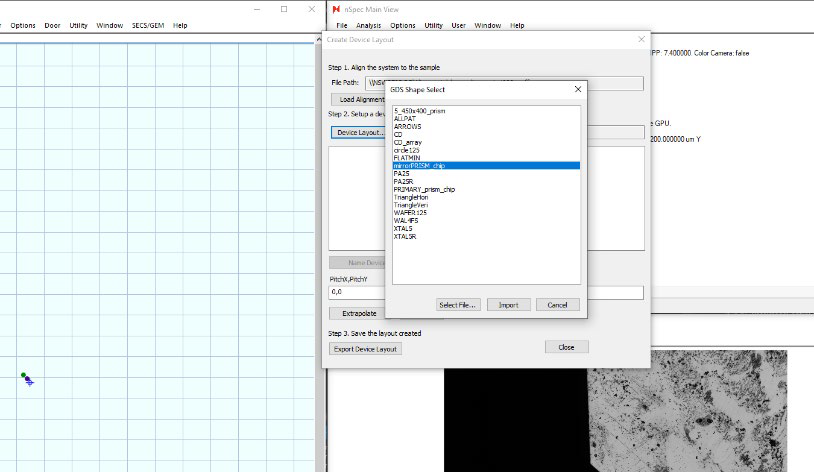
The device structure corresponding to the selected layer will be populated in the stage view and the device list, as if the devices where specified through extrapolation. At this point, the device layout the same as a traditional nSpec device layout.
