
nSpec v0.24.1.2 External Release Notes
nSpec Version 0.24.1.2
Release Date:
Documentation Updated:
Overview
This patch update includes multiple bug fixes, changes to the Bare Wafer Alignment wizard and a new program option.
Upgrading to v0.24.1.2

Library Update Not Required
If upgrading from a version more than 1 release prior, please reference all intermediate release notes for upgrade steps for each version.
New Features
Highlights
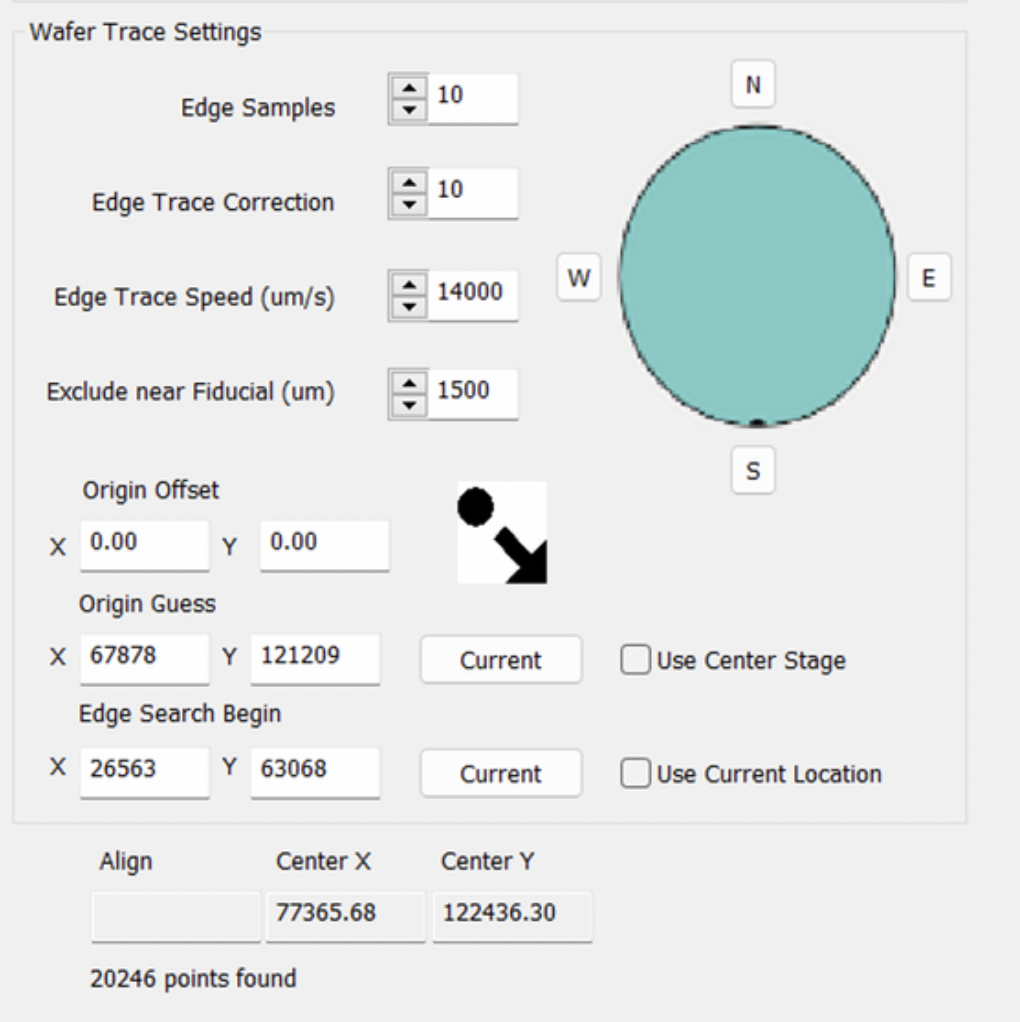
NSPEC-8480: Add New Parameters to Bare Wafer Alignment UI
New fields Origin Guess and Edge Search Begin in Bare Wafer Alignment allow users greater control over the alignment’s search parameters. Origin Guess is the expected sample center, and Edge Search Begin is where nSpec will begin to search for the edge of the wafer to begin alignment.
NSPEC-8570: Disable Scan Warning If Using Different Objectives for Autofocus and Scanning
Previously, if a user used different objectives from autofocus and scanning, a warning message popped up that required user input before continuing. This is not ideal for production environments. In order to manage this warning message, a new program option under Scanning called Display warning dialog about differing objectives can now be enabled or disabled to toggle this warning. By default, this warning message is enabled. Disabling this program option prevents the warning message from appearing and instead, then the message is only logged via the ex-log.
New Features Changelog
Bug Fixes
Highlights
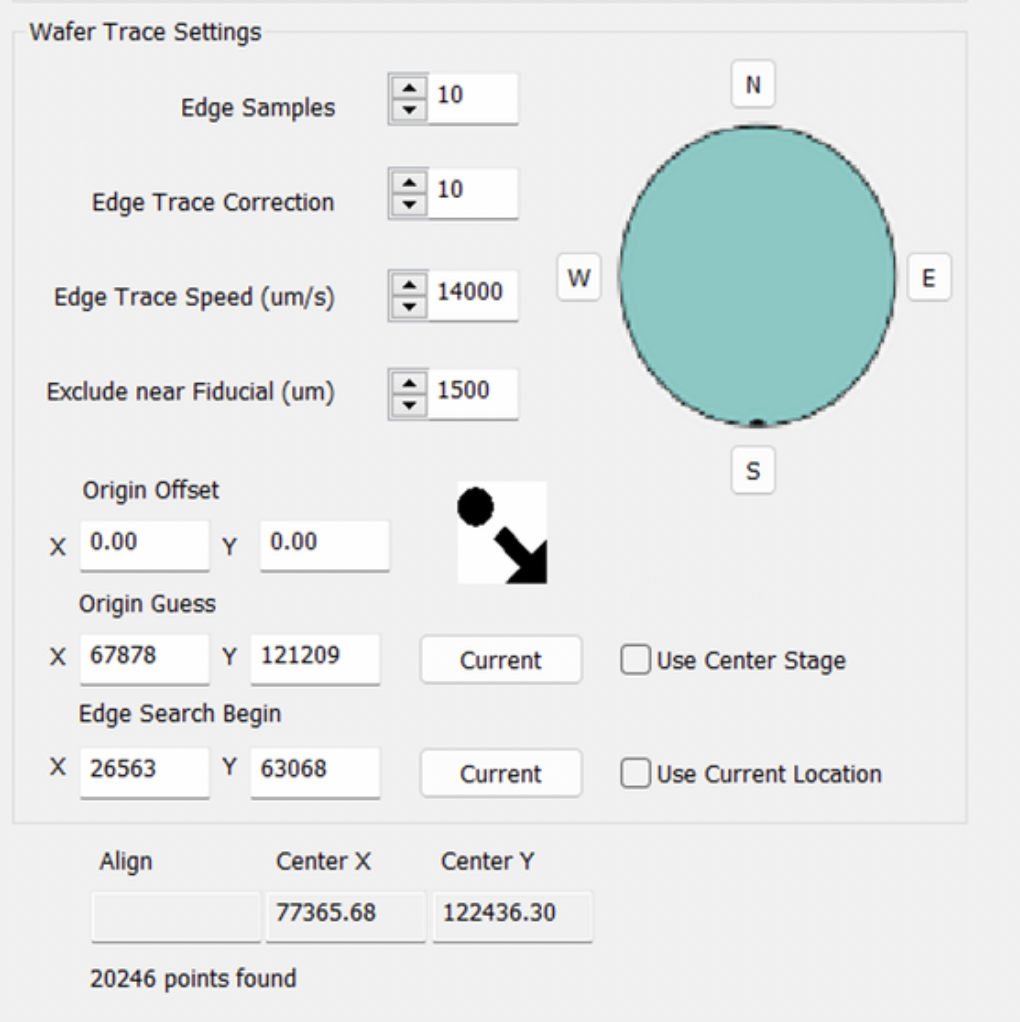
NSPEC-8126: Bare wafer alignment scan is offset when sample is not in center of stage
Performing a bare wafer alignment scan when the sample is anywhere but the center of the stage caused alignment to fail.
Fixing this bug involves the addition of the Origin Guess and Edge Search Begin fields in bare wafer alignment detailed in NSPEC-8480.
NSPEC-8407: Autofocus OpenCV error
Autofocus often fails due to issues with GPU allocation. Due to this bug, systems with GT cameras should not receive nSpec v0.24.1.0.
NSPEC-8456: Top light turns on during scan that should be using bottom light only
On tools where there are two illumination sources, e.g. when top light is used for alignment and bottom light is used for scanning, the top light turns on at inappropriate times. For example, on a scan setup with the bottom illuminator only, the top light turns on during the scan.
NSPEC- 8535: Show edge detection is greyed out after Bare Wafer Alignment fails or is cancelled
The Show Edge Detection box in the bare wafer alignment dialog becomes greyed out after alignment fails or is cancelled.